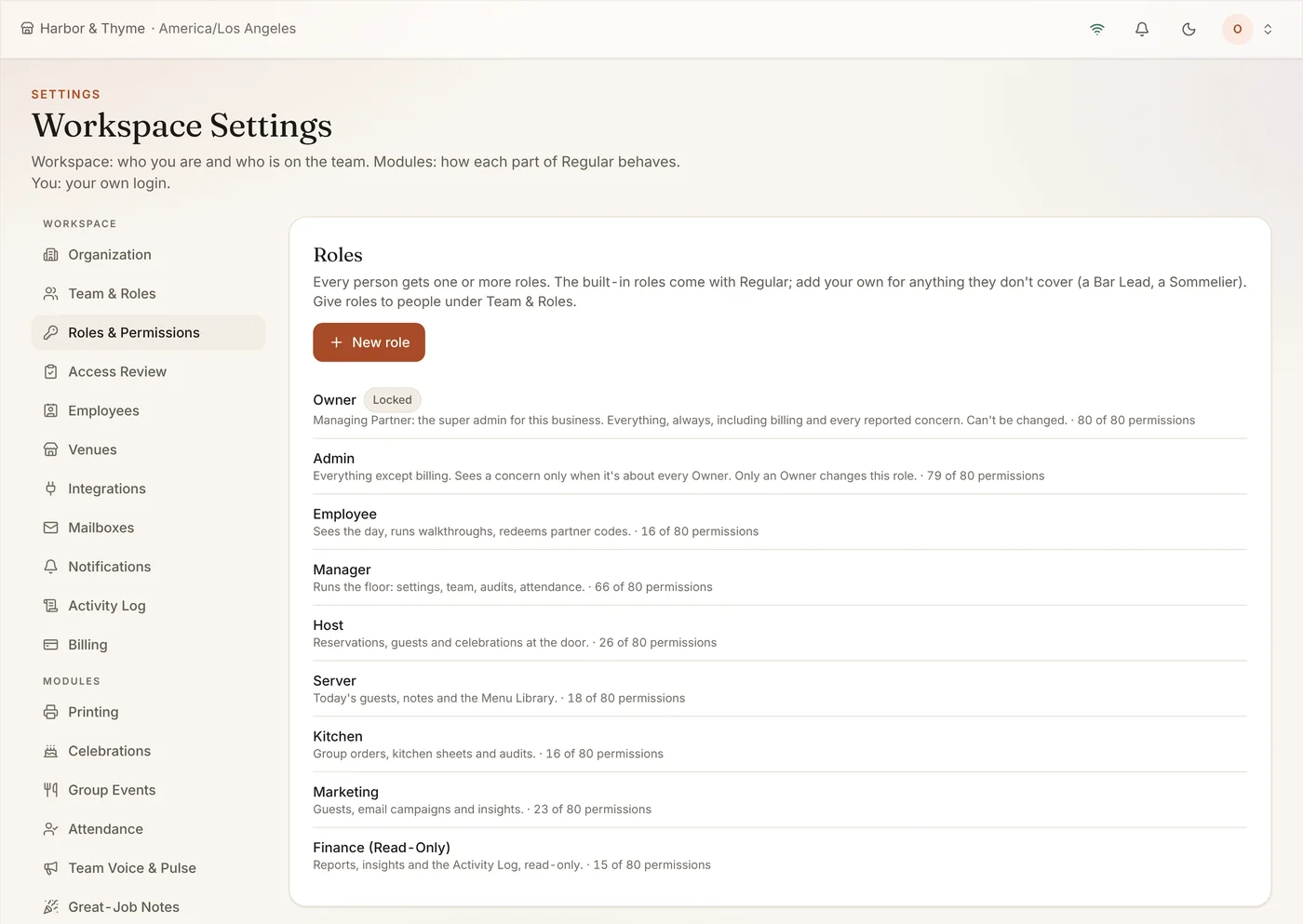
Hosts, servers, the kitchen, marketing and finance all need different things. Roles & Permissions lets the owner decide exactly what each role can open and change.
What It Does
- Owner, Admin, Manager, Employee and more built in
- Custom roles like Bar Lead or Sommelier
- No Access, View or Full Access per app
- Every role change in the Activity Log
Who It Helps
For the Restaurant
- Each role sees exactly what its job needs
- Custom roles like Bar Lead or Sommelier
- Every change written to the Activity Log
For Your Team
- A simple screen with only the apps they use
- Their own numbers stay private from coworkers
- One login for everything their role allows
How It Pays for Itself
One login per person, not one per tool
Every app shares the same staff accounts and roles, so there is one place to add, change or remove someone.
Example: a tool that charges $5 per user a month costs $200 a month for a team of 40. Regular has no per-seat pricing, so adding the whole team costs nothing extra.
Examples use round numbers to show the arithmetic. They are not a promise of results; your own numbers will differ. Try it with your numbers.
Built-In Roles, and Your Own
Owner, Admin, Manager, Employee, Host, Server, Kitchen, Marketing and Finance come ready to use. Add your own roles for anything they don’t cover.
Module Permissions
For each role and each app, choose No Access, View or Full Access, or tick individual permissions in the matrix. An app with no access is hidden from that role.
Staff Data Stays Private
Employees see their own numbers, managers see their departments, and owners and admins see everyone. Every manager look at an individual’s data is logged, and owners can use View As to see Regular exactly as a team member does.
How It Works
- Pick the built-in roles you use.
- Add custom roles.
- Set access per app.
- Invite people with their role.
Frequently Asked Questions
Who can change roles?
Owners and admins. Only an owner can change the Admin role or give someone billing.
Is there a record of changes?
Yes. Every permission change is written to the Activity Log.