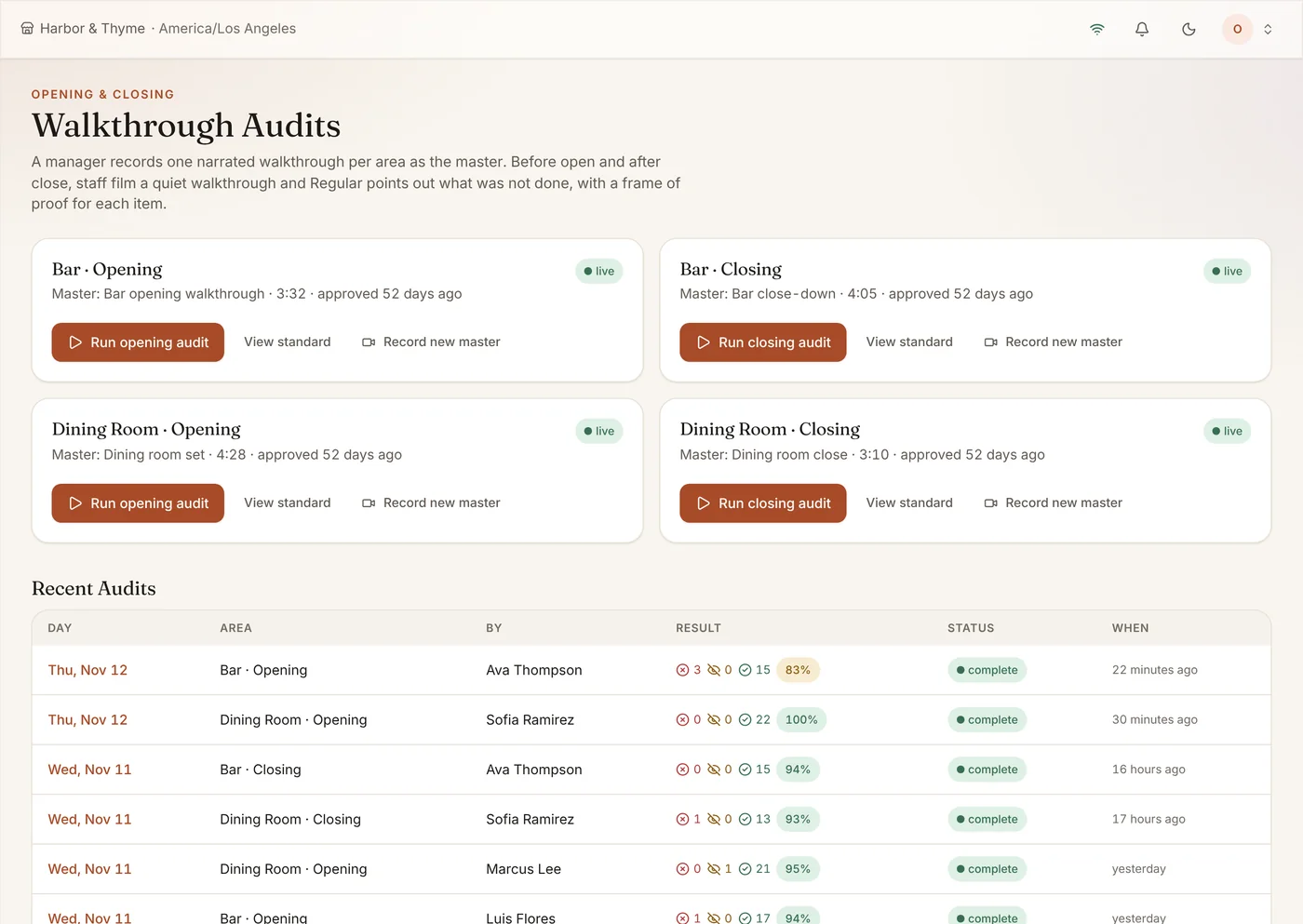
A paper checklist gets ticked whether the patio heaters are off or not. Opening & Closing has staff film a short walkthrough and compares it with the standard you recorded, in your own words.
What It Does
- Record your standard once, in your words
- Staff film a quick walkthrough each shift
- Missed steps flagged for the manager
- A history of every open and close
Result → The room looks right every night.
Who It Helps
For the Restaurant
- The room set to your standard before doors open, even on your night off
- Missed steps flagged with a frame of proof
- A record of every open and close
For Your Team
- A clear standard in the manager’s own words
- A two-minute filmed walkthrough instead of a clipboard
- Fair findings: each one shows the frame, and a manager can correct a wrong call
How It Pays for Itself
Small misses cost real money
A walk-in door left open, an unstocked station, heaters left on overnight. Catching it the same night is far cheaper than finding it the next morning.
Example: one avoidable miss a month that would have cost $300 in spoiled product or a slow first hour covers most of the subscription.
Examples use round numbers to show the arithmetic. They are not a promise of results; your own numbers will differ. Try it with your numbers.
Your Standard, Recorded Once
A manager films the master walkthrough for each area and narrates what good looks like. That becomes the standard every shift is checked against.
Missed Steps, Flagged
Each shift’s walkthrough is compared with the standard and missed steps are flagged for the manager, with a history of every open and close.
How It Works
- Record the master walkthrough once per area.
- Staff film a quick walkthrough each shift.
- Regular flags anything missed.
- The manager follows up before service.
Frequently Asked Questions
How long does a walkthrough take?
A minute or two of video per area.