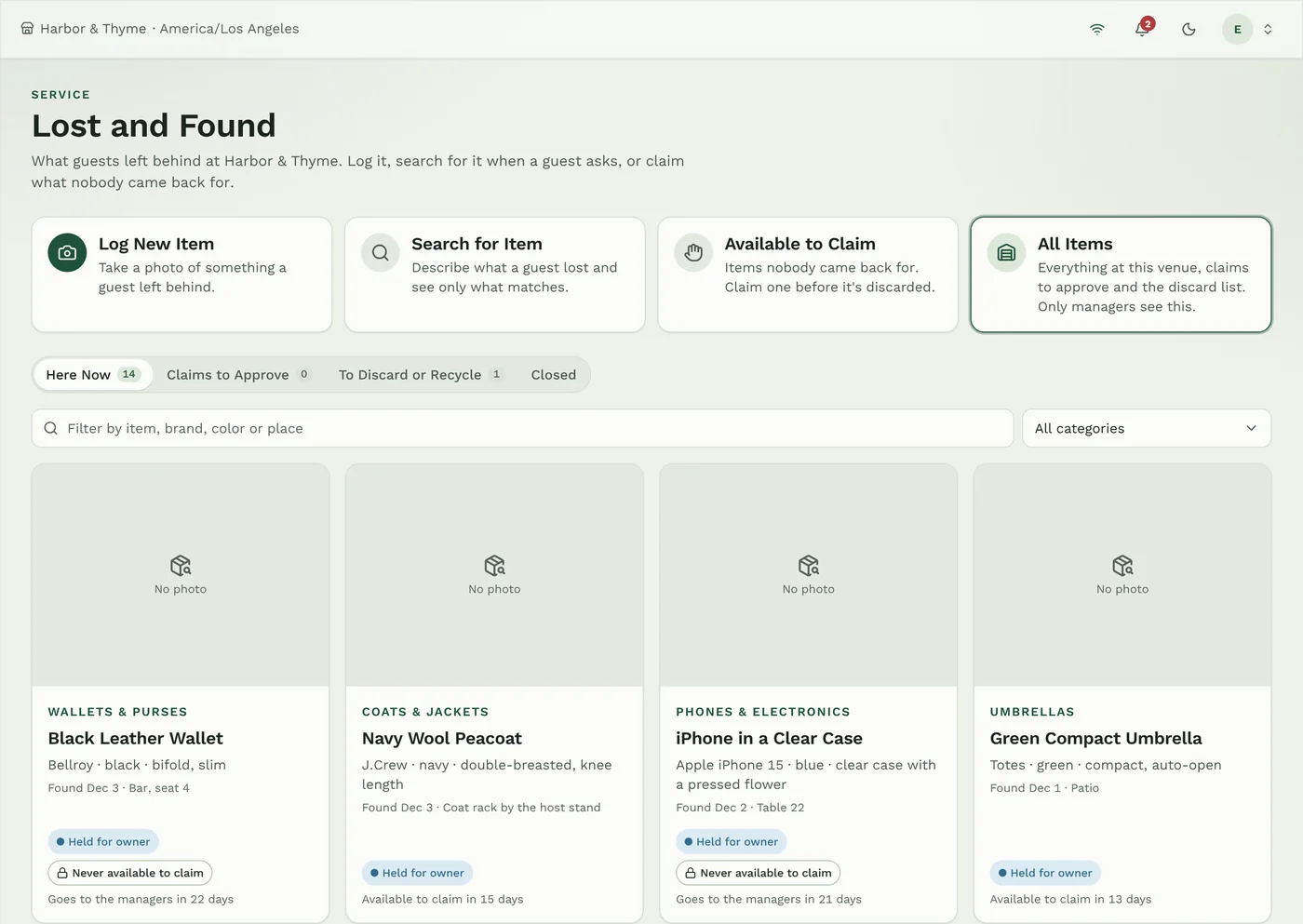
A guest calls about a scarf from last Friday and someone digs through a box in the office. Lost and Found turns that box into a searchable log: a photo and a short description for every item, found again in seconds.
What It Does
- A photo and a description the AI suggests and the team checks
- Search in plain words for up to eight matches
- Held 14 days, then offered to the team for 7
- Valuables never offered; every claim approved by a manager
Result → Guests get their things back, and the shelf stays clear.
Who It Helps
For the Restaurant
- A searchable log instead of a box in the office
- Valuables stay held and are never offered to the team
- Unclaimed items listed for a manager to discard, recycle or donate
For Your Team
- Log an item in seconds from a phone
- Answer a guest’s call while they are still on the line
- A fair, manager-approved way to claim what nobody came back for
How It Pays for Itself
A returned scarf is remembered
A guest who gets their things back quickly remembers how they were treated, and the team stops losing time to a box in the office.
Example: saving 20 minutes a day of searching and calling back, at $25 an hour, is about $250 a month.
Examples use round numbers to show the arithmetic. They are not a promise of results; your own numbers will differ. Try it with your numbers.
A Photo and a Checked Description
The team snaps a photo and the AI suggests the category, brand, color and marks. Nothing is saved until the person who logged it has checked it, and the AI never records personal details.
Search in Plain Words
Type what the guest describes, like “black wallet with red stitching, left at the bar”, and Regular shows up to eight matches. The team never scrolls the whole inventory; managers can.
A Clear Timeline for Every Item
Items are held for the owner for 14 days, then offered to the team for 7, then listed for managers to discard, recycle or donate. Valuables are never offered, and every claim waits for a manager.
How It Works
- Log the item with a photo.
- Check the suggested description and save.
- Search when a guest calls.
- A manager approves the hand-over.
Frequently Asked Questions
Can staff take unclaimed items?
After the hold period, items other than valuables are offered to the team, and every claim still needs a manager’s approval.
Can I change how long items are held?
Yes, the hold and claim periods are set per venue.